The workflow accelerator for heavy civil.
Turn the documents you already receive into the project data you actually need. Track quantities, compare estimates, manage billing, and keep the field informed — without the repetitive data entry.
Built by a working heavy-civil PM and tested on real jobs. 30 days free, no card — set up your company and import your first bid today.
Drop it in. CivilVault does the busywork.
Every document a job throws at you already contains the data. CivilVault reads it, structures it, and puts it where the rest of the project can use it.
Reads the confirmation from any state's one-call center — Diggers Hotline, JULIE, Gopher State One Call, MISS DIG 811 and the rest — and records the clear date and expiration from the ticket, where the crew can see them.
One place for the whole job.

Track the work
Quantities by item and day, scope with areas and sections, change orders, the schedule, and which sub owns which lines.
Know the money
Earned to date and remaining on every item. Engineer and GC estimates compared to what you measured. Rate discrepancies surfaced, not buried.
Get paid
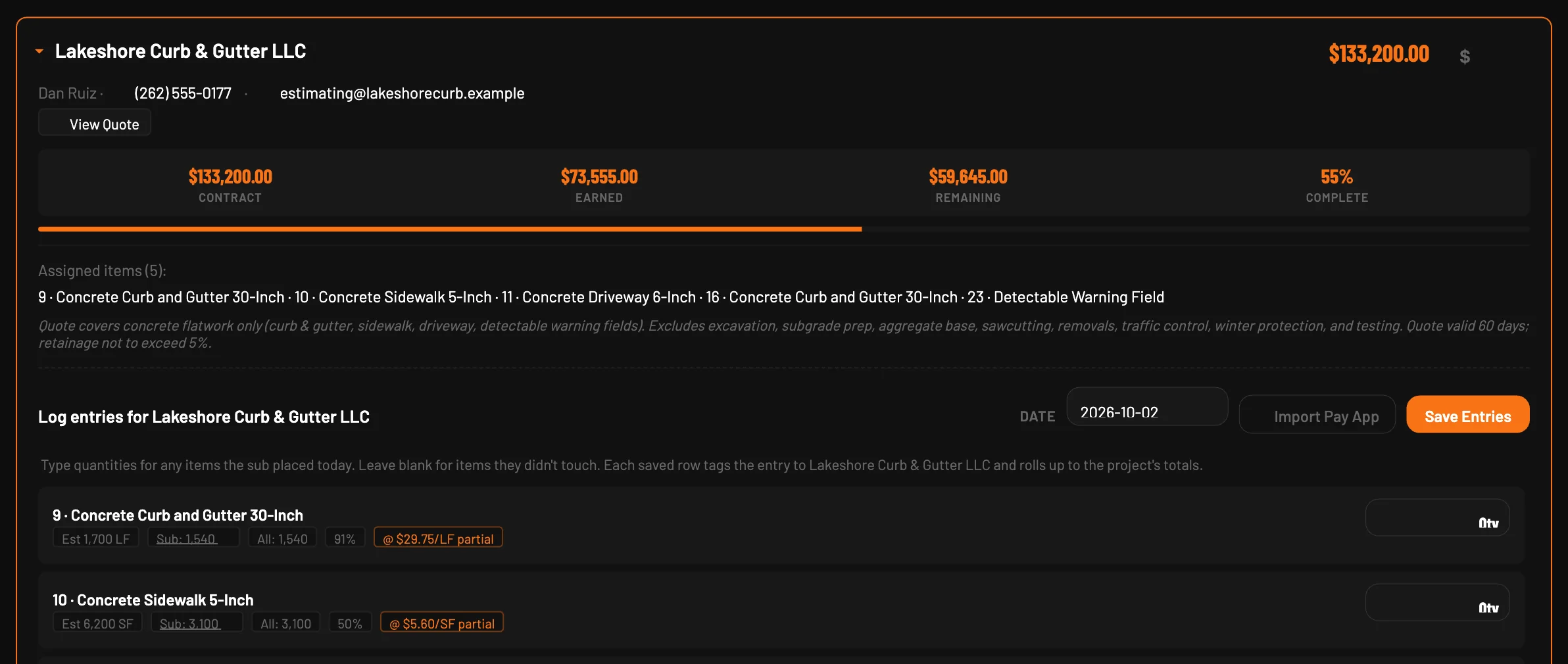
Pay applications generated from the quantities you already tracked — retainage, previous payments, net change orders — as AIA-style Excel or PDF for your review before it goes out.
Keep everyone moving
Plans, contacts, locate tickets, notes and documents on the project, with controlled share links so crews, subs, inspectors and owners see what they need without another account.
One link. Only what they need.
Share plans, contacts, schedules, tickets, notes, documents and project information from a live project page. Choose exactly what each link exposes, hide costs when needed, set an expiration date, and revoke access anytime.


Know what you measured — and what they measured.
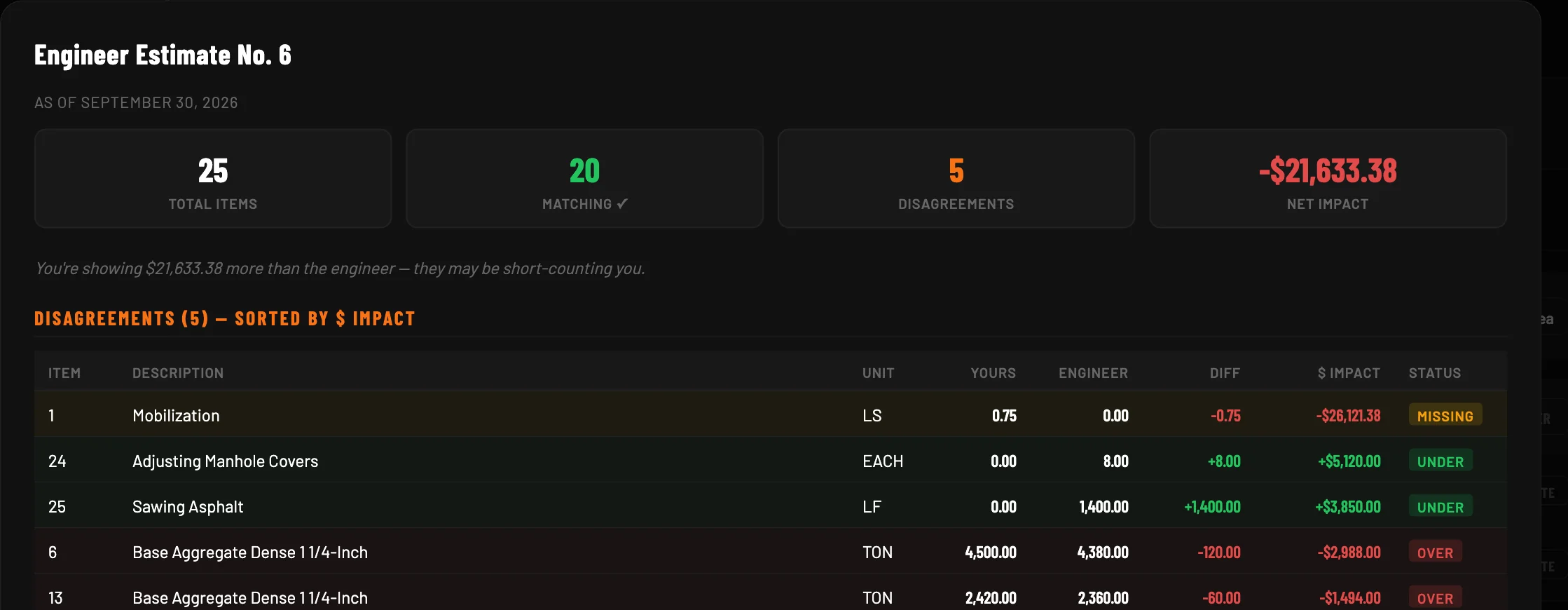
Drop in the engineer's or GC's estimate. CivilVault matches every line to yours, shows exactly where the numbers differ, and lets you decide which lines to sync and which to keep.



Your quantities are already there. Your billing should be too.
Turn tracked quantities, change orders, prior payments and retainage into a pay application without rebuilding the job in another spreadsheet. Output is the AIA-style application as Excel, and a PDF that prints either the CivilVault layout or your own pay app form, filled in. The summary cross-foots with the progress estimate, so what you review is one set of numbers.
Built on real jobs, not in a conference room.
Developed alongside working heavy-civil project managers and used across dozens of live construction projects before commercial release. Every workflow in CivilVault exists because a PM needed it on a Tuesday.
- Asphalt, concrete, aggregate base, curb & gutter, utilities trades on live projects
- DOT, municipal, airport, industrial and private owners billed with it
- AIA-style Excel, PDF on your own form billing output
- Locate tickets logged straight from the 811 confirmation email visible to the crew
Pricing
Priced per project manager, and each seat costs less as you add them. Office staff who run billing get free Admin seats — one for every two PMs — and the field, subs and owners you share with never need a seat at all.
Solo
- Full project workflow — quantities, pay apps, change orders, subs
- Unlimited projects, from the office or your phone
- Share links for crews, subs and owners
- Document import — bids, estimates, pay apps, tickets
- One free Admin / Billing seat
Duo
- Everything in Solo, for both PMs
- Company settings, roles and pay app forms
- Every project in one portfolio view
- Hand a project between PMs without re-entering a thing
- One free Admin / Billing seat
Company
- Everything in Duo, for every PM
- Add PMs any time, prorated — a free Admin / Billing seat for every two
- Onboarding for your team and your templates
- Direct line for support and requests
Every plan starts with 30 days free — no card until you pick a plan. Moving between plans keeps every project you've built, and everything exports any time.
Bring your next project into CivilVault.
Start with the bid PDF you already have. Create your account, set up your company, and you're importing in a couple of minutes — 30 days free, no card.
Want to look around first? Open the demo — a fictional paving contractor's account with every feature live, nothing to set up.
Rather see it with your own numbers? Tell us a little about your work and we'll set up a walkthrough.